
Buy a Console Client proxy
Purchase a proxy in the dashboard, review the checkout, and attach it to a Minecraft account.
Open the proxy shop
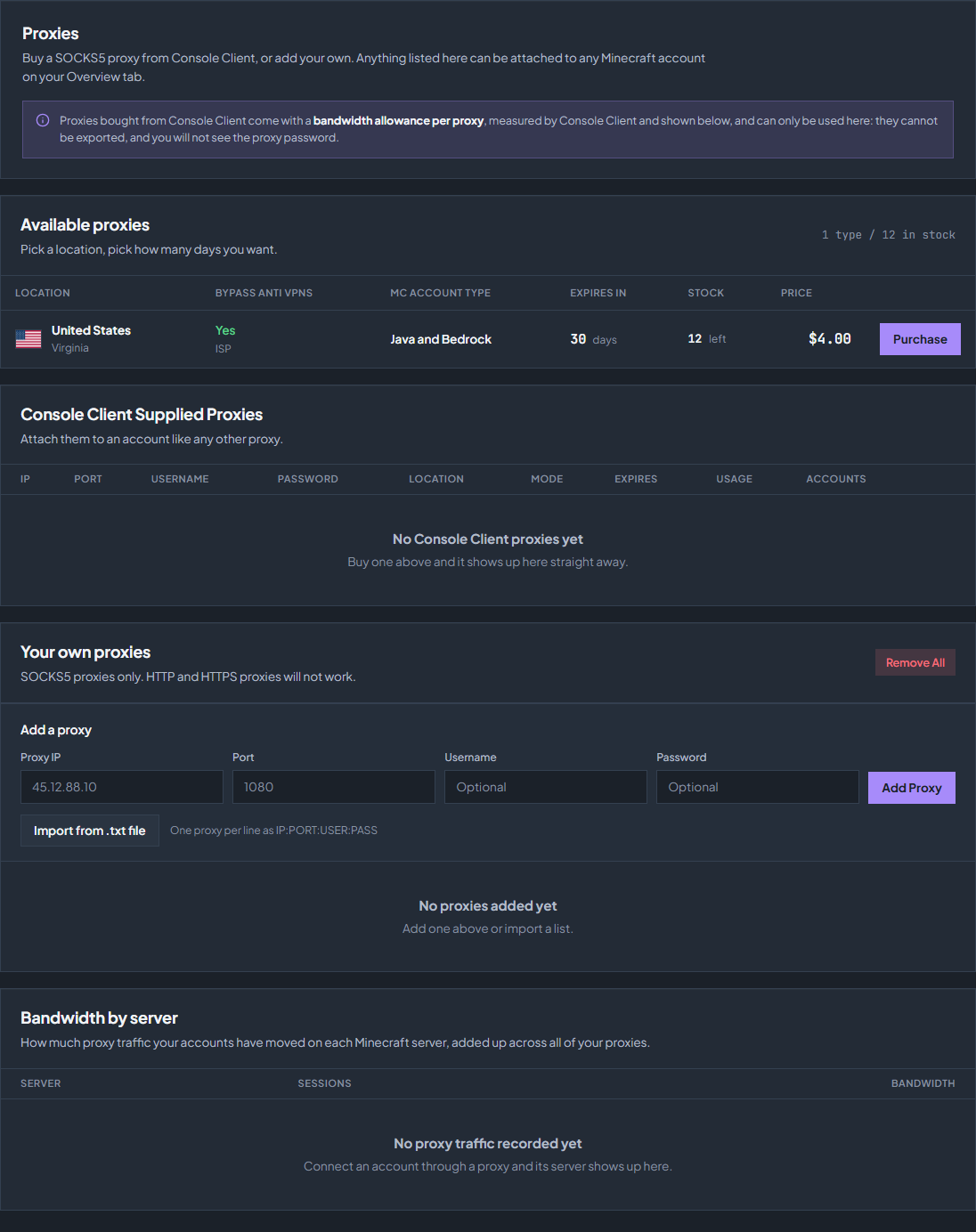
Select Proxies in the sidebar. The catalogue shows the available locations, proxy type, supported Minecraft editions, remaining days, stock, and price. Click Purchase on the row you want.
Choose options and pay
Choose the remaining lifetime
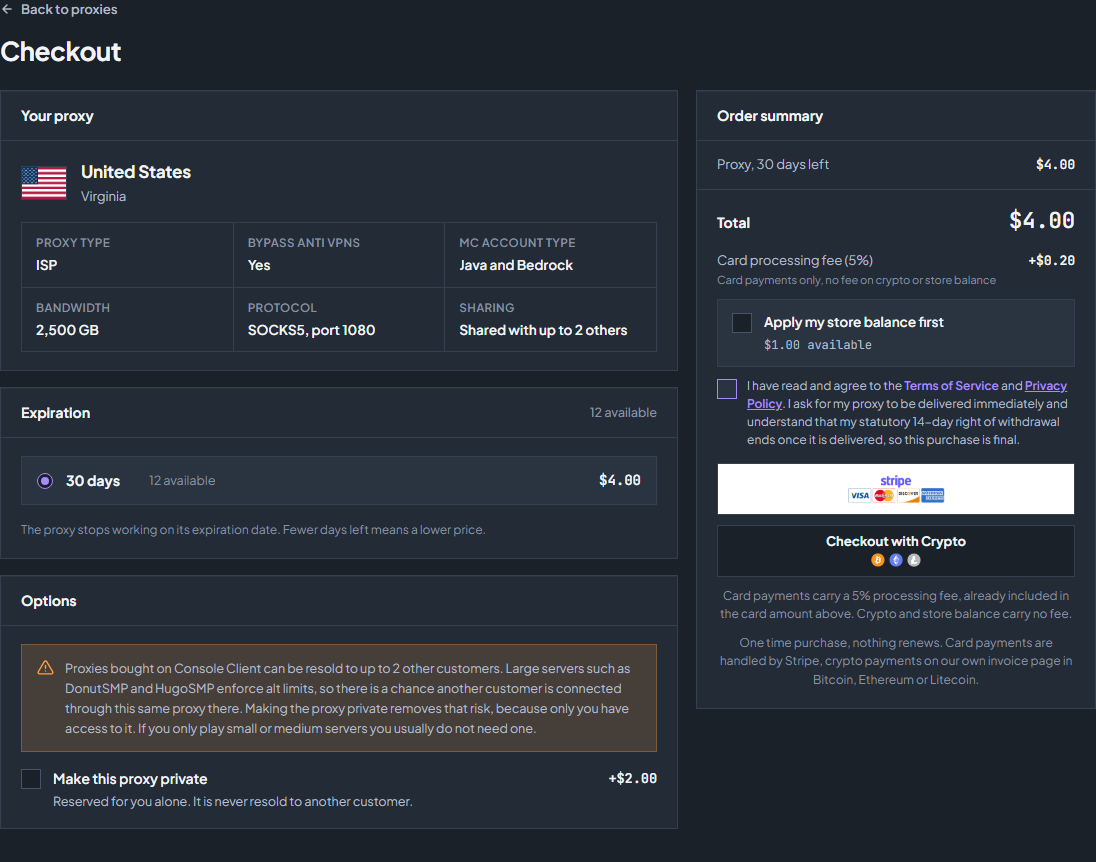
Select an available expiry option. The checkout shows the remaining days for the proxy, any discount, and the order total. Read that lifetime before paying.
Choose shared or private
Review the sharing notice. If available, select the private option to buy exclusive customer use of that proxy. The checkout shows the extra cost and whether private stock is available.
Review the allowance and payment
Check the bandwidth allowance shown under Your proxy, when present. If you have credit, Apply my store balance first reduces the remaining payment. Compare the displayed card and crypto totals; card processing fees are shown separately.
Complete the purchase
Read and accept the checkout consent, then use an available payment method. A fully covered balance order can be paid from balance. Otherwise complete the card or crypto checkout and return to the dashboard.
Attach the purchased proxy
After payment completes, the proxy appears under Console Client Supplied Proxies. It is added to your available proxies automatically; you do not need to copy its managed credentials into the own-proxy form.
For a new account
Open Overview → Add Account and choose the purchased proxy from the Proxy list.
For an existing account
Disconnect the account, open its account settings, change the selected proxy, save the account, and reconnect. For several accounts, use the bulk proxy controls.
Check lifetime and usage
Return to Proxies to see its expiry, usage, and number of attached accounts. An expired proxy or one that reaches its allowance can no longer keep those accounts connected; move them to an available proxy.
If checkout needs attention
Purchases are made by the dashboard owner. A sub-user may be able to manage proxies but cannot buy them. Sold-out stock cannot be purchased. If applying a small balance leaves a payment below a provider’s minimum, follow the checkout message; removing the balance selection may make that method available.
For an unfinished crypto order, use Continue payment in Proxies. If payment has completed but the proxy is missing, keep the invoice reference and contact support before placing another order.
Check the troubleshooting guide or return to all guides.