
Choose your dashboard notifications
Decide what the notification bell tells you, and keep it useful when running many accounts.
The bell
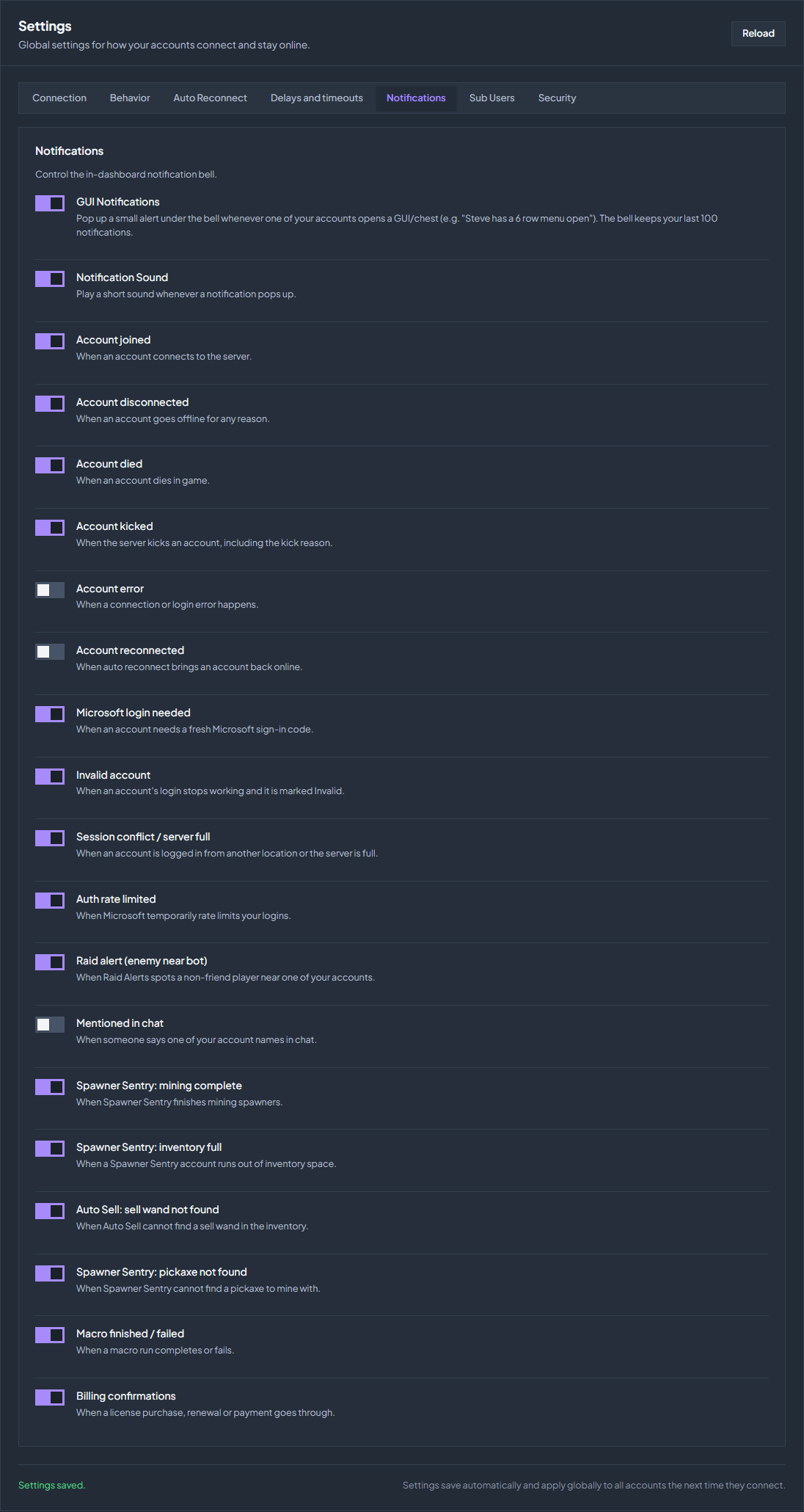
Open Settings → Notifications. The bell keeps your last 100 notifications, and every switch here is about the dashboard only. To send something to Discord instead, use Discord alerts using a webhook or your Tier 3 bot.
| Setting | What it does |
|---|---|
| GUI Notifications | Pops up an alert whenever one of your accounts opens a GUI or chest, for example “Steve has a 6 row menu open”. |
| Notification Sound | Plays a short sound whenever a notification appears. |
The events
Each event has its own switch, so you can keep the ones you act on and silence the rest.
| Group | Events |
|---|---|
| Connection | Account joined, Account disconnected, Account reconnected. |
| Problems | Account kicked (with the reason), Account error, Invalid account, Microsoft login needed, Session conflict / server full, Auth rate limited, Account died. |
| In game | Raid alert (enemy near account), Mentioned in chat. |
| Features | Spawner Sentry mining complete, Spawner Sentry inventory full, Spawner Sentry pickaxe not found, Auto Sell sell wand not found, Macro finished or failed. |
| Billing | Billing confirmations for a license purchase, renewal, or payment. |
Keep it readable
The more accounts you run, the noisier the connection events become: a reconnect wave can fill the bell in seconds. A setup that works well is to leave Account joined and Account disconnected off for a large group, and keep the ones that need you personally, such as Microsoft login needed, Invalid account, and the feature events for whatever you are running.
Check the troubleshooting guide or return to all guides.