
Run a command on join
Send /home 1 after connecting, add a delay, or use a join macro for a longer sequence.
Prepare the destination
First position your account where it should return and set a home using the Minecraft server’s home command. Test /home 1 in-game. The home name and command syntax depend on your server. For Sell Axe, save the position while looking directly at the chest.
Set the join command
Open Connection
Go to Settings → Connection and find Join Actions under the Java and Bedrock server settings.
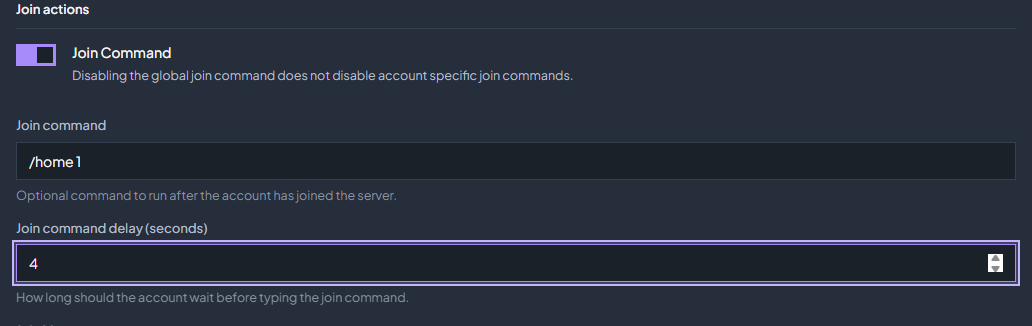
Enable Join Command
Turn on Join Command and enter
/home 1in the command field. Use your actual home command if it is different.Set the delay
Enter a Join command delay (seconds) long enough for your server to finish loading. Wait for the settings save confirmation after editing.
Test a reconnect
Disconnect and reconnect one account. Watch Chat to confirm the command runs and the account returns to the correct location.
Global commands and account overrides
The Settings command is global. Account-specific join commands are separate: disabling the global command does not disable account-specific commands. Review an account’s settings if it sends an unexpected command or needs a different home.
Need more than one action?
Create a macro, then choose it under Join Macro in the same section. Configure the join macro delay. Leave Loop the join macro off for a normal one-time startup sequence; enable loops only when you intend to repeat the macro. See events, join and schedules for the loop options and for how a join macro restarts instead of stacking after a reconnect.
Check the troubleshooting guide or return to all guides.