
Move accounts and run tasks
Walk several accounts at once, aim their heads, and run pathing or mining tasks.
Move several accounts at once
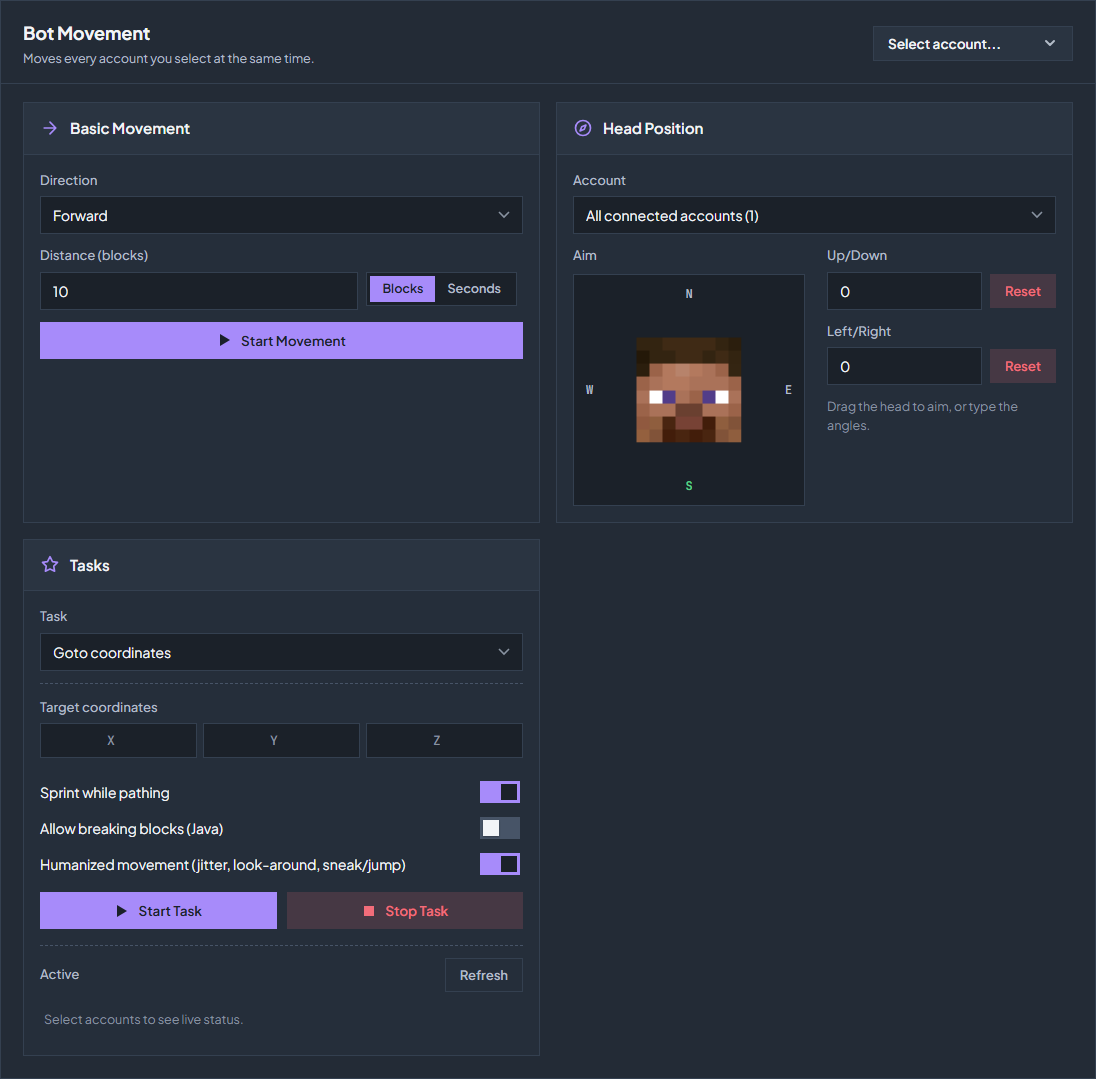
Open Control → Movement. Movement controls unlock on Tier 3 with 20 or more account slots. Basic Movement moves every account you select at the same time, which is what you want for lining a group up.
Select accounts
Use Select accounts and pick the connected accounts to move.
Set direction and distance
Choose Forward, Backward, Left, or Right, then a distance in Blocks or a time in Seconds. Direction is relative to where each account is facing.
Start and stop
Click Start Movement, and Stop to end it early. Every selected account moves together, so leave room between them.
Aim the head
Head Position sets where an account is looking. Choose one account or All connected accounts, then drag the head or type the Up/Down and Left/Right angles. Reset clears each angle.
Run a task
A task keeps running on one account until it finishes or you stop it. Choose it under Tasks, fill in the fields the task shows, and click Start Task. Running tasks are listed under Active, with Stop Task to end one.
| Task | What it needs |
|---|---|
| Goto coordinates | Target coordinates, and optionally Sprint while pathing and Allow breaking blocks (Java). |
| Follow player | A player username and a follow distance in blocks. The account climbs ladders and vines, swims and drops down after the player, also big drops that can hurt or kill it. Tick Safe pathfinding (take no fall damage) to allow only drops of 3 blocks or less or into water. |
| Wander (random walk) | A radius and how many waypoints to visit. |
| Circle a point | A radius, a direction, and a centre; leave the centre blank to circle the current position. |
| Walk axis (N/S/E/W) | A compass direction and a number of blocks. |
| Mine blocks | A block name such as iron_ore, how many to mine, and a search radius. Don’t move keeps the account still and mines only within reach; Mine all block types ignores the name and breaks every solid block in range. The block directly under the account is never broken. |
| Stay & idle (humanized AFK) | A duration in seconds. The account looks around, sneaks, and jumps at random intervals. |
Before you start a task
Pathing and mining move an account through the world, so check what is around it: lava, a drop, a claim boundary, or a farm you would rather not have mined. Mine all block types in particular breaks whatever is in range.
A task ends when the account disconnects. If you want it to resume after a reconnect, use a macro as a join macro instead.
Check the troubleshooting guide or return to all guides.